
Our child care clients often use Google Calendar to keep their day to day and week to week events organized and available to their enrolled parents. In our opinion, it’s the best available tool to do this because so many people also use Google and can easily add events to their own Google calendar from this tool.
With Google Calendar, you can share a link to the calendar on their site but they also conveniently provide a way to embed the calendar directly on your website so that people can stay on your website to view it, which we recommend.
Here are the steps for embedding your Google Calendar on to your child care website:
Step 1: Go to Google Calendar
Step 2: On a desktop, left column, find your child care calendar and click the 3 dots when you hover over that calendar.
Step 3: Select “Settings and Sharing” from the menu
Step 4: Make sure the checkbox is checked under “Access Permissions for Events”
Step 5: Scroll down until you find “Integrate Calendar” and highlight the “Embed Code”
Step 6: Copy and paste this code to the spot on your website where you would like it to appear.
Here are some examples you can review to see how well it works on websites we have created:
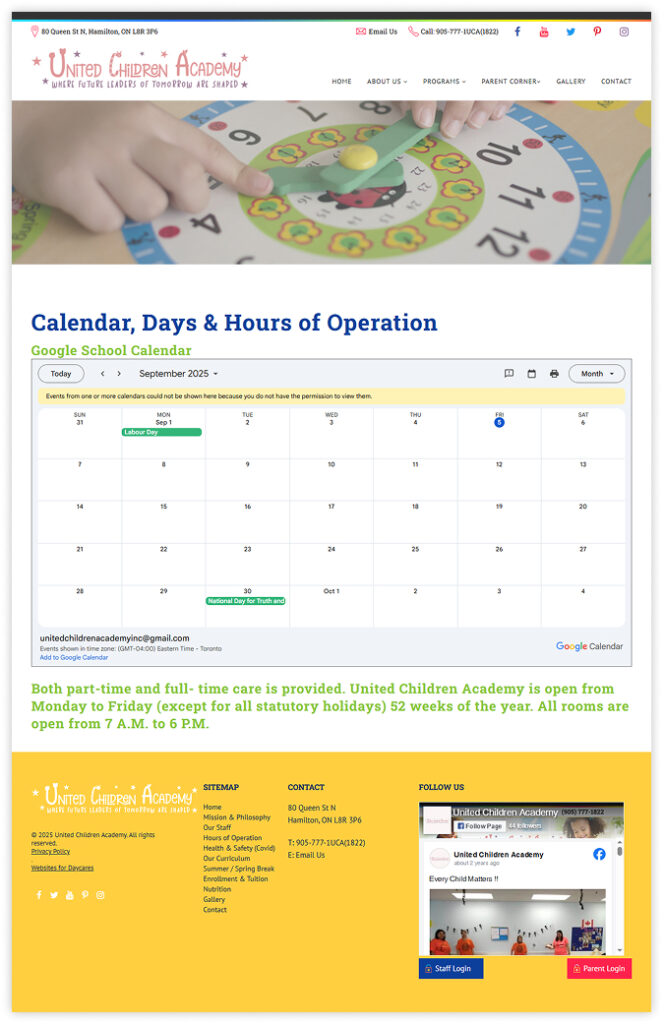
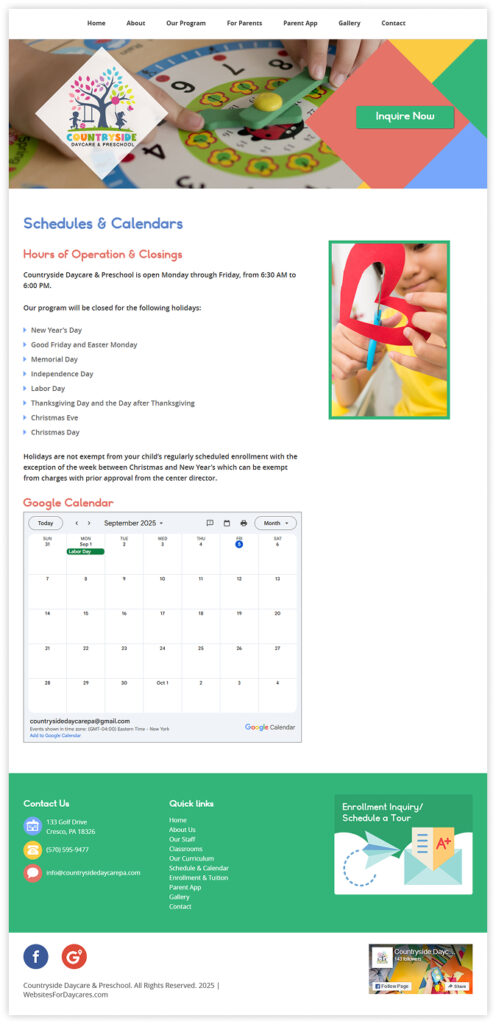
We hope you have found these instructions helpful. Get in touch if we can help you with your child care website.


 Read Our 5-Star Facebook Reviews